Your whole day on a map
Optimized stop order, drive times, and per-stop earnings on one screen. One tap to navigate to the next job.
Optimized stop order
Shortest drive time, best stop sequence, every day.
One-tap navigate
Hand off to Apple Maps, Google Maps, or Waze.
Earnings per stop
Revenue and drive cost together. Know which jobs pay.
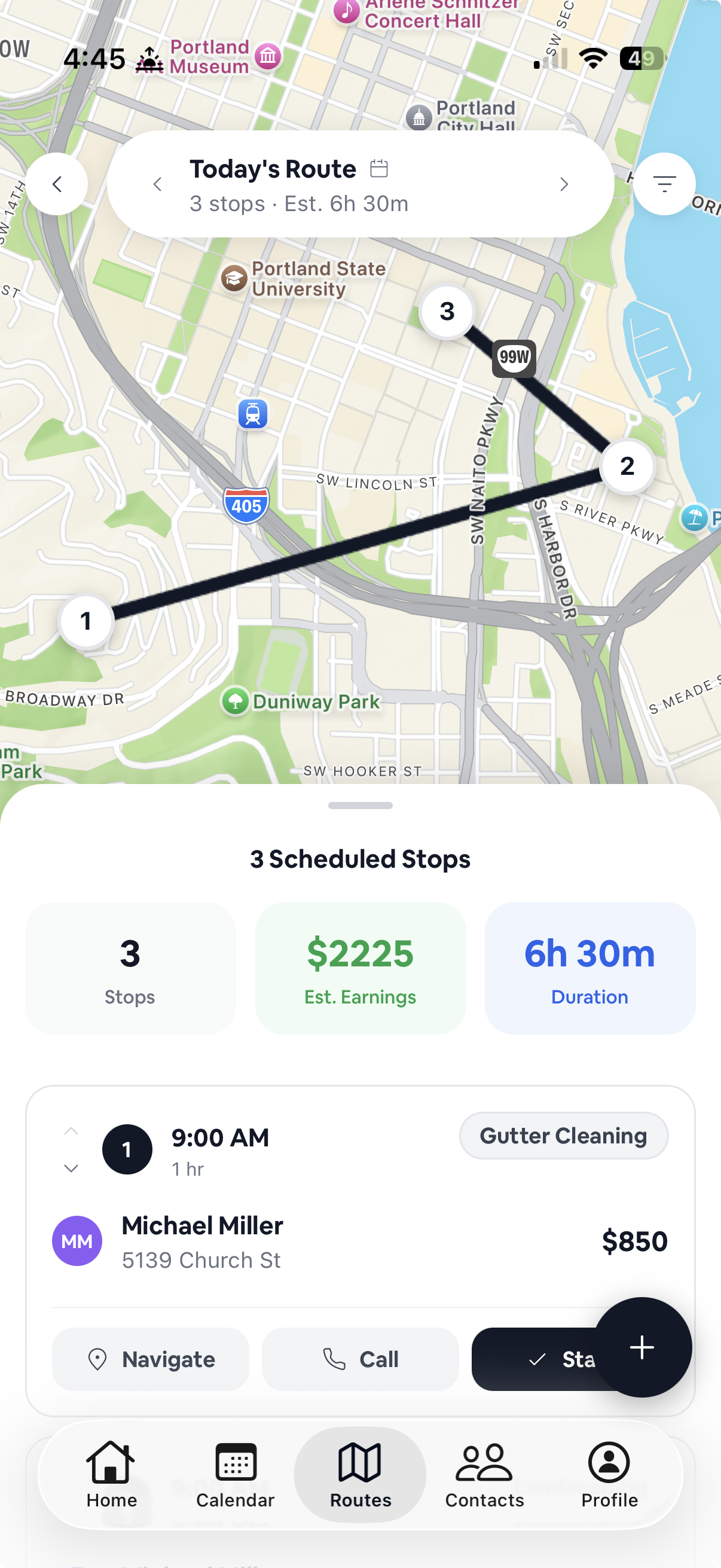
Plan the day. Drive the day.
Drag stops to reorder. Drive times update live. Tap a stop for full job details. Tap navigate to launch your map app.
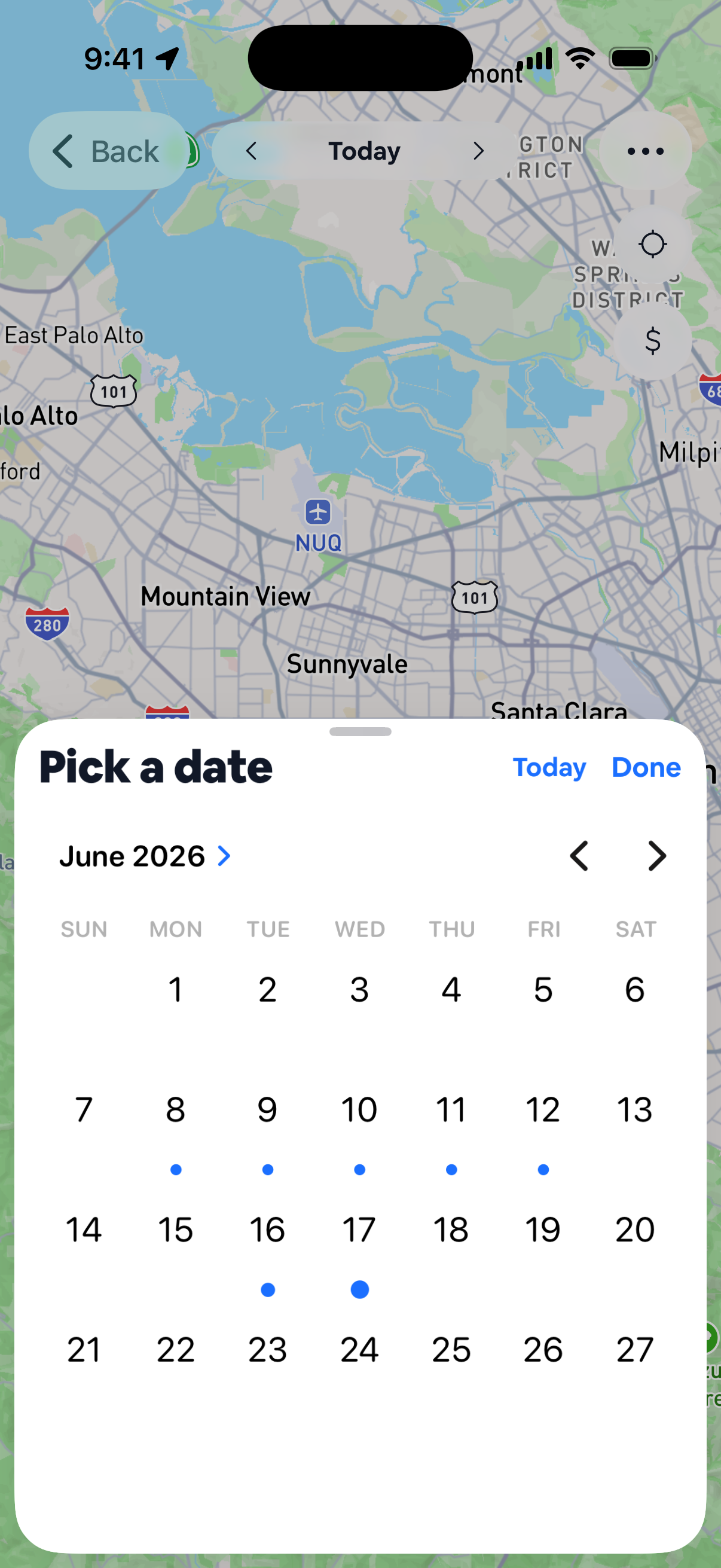
Jump to any day's route
Tap the date to open the picker. Days with stops are marked, so pick one and the map redraws around that day's route.
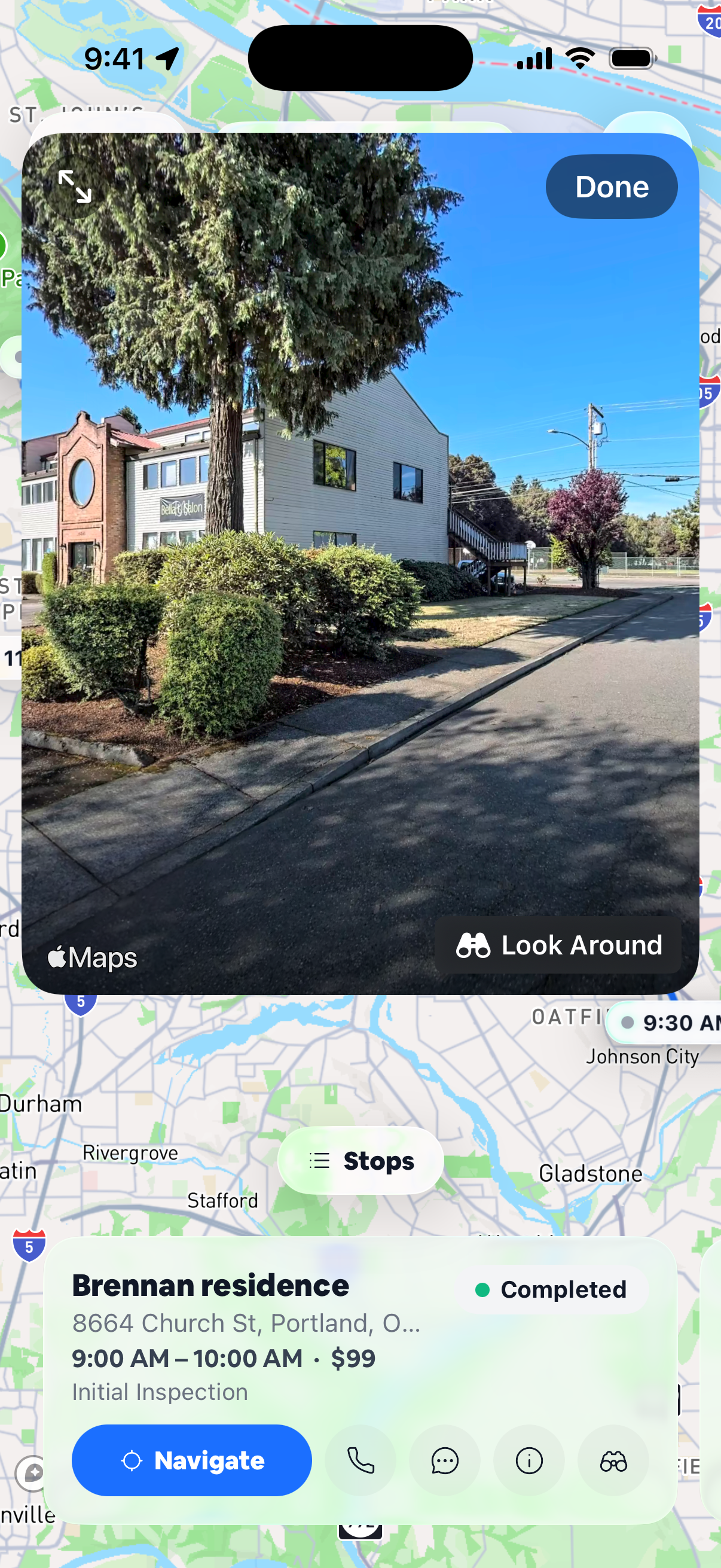
See the stop before you pull up
Tap Look Around on any stop for a street view. See the driveway, the gate, and where to park before you get there.
Frequently asked
Does it work for crews with multiple trucks? +
Yes. Assign jobs per crew. Each crew gets its own optimized route.
Can I lock a specific stop order? +
Yes. Pin a stop and the optimizer respects it.
Does it know about traffic? +
Routes use current traffic data when computing times and order.
Which navigation apps does it support? +
Apple Maps, Google Maps, and Waze on iPhone. Google Maps and Waze on Android.